Modernizing document viewing for advanced clinical workflows
Document Viewer
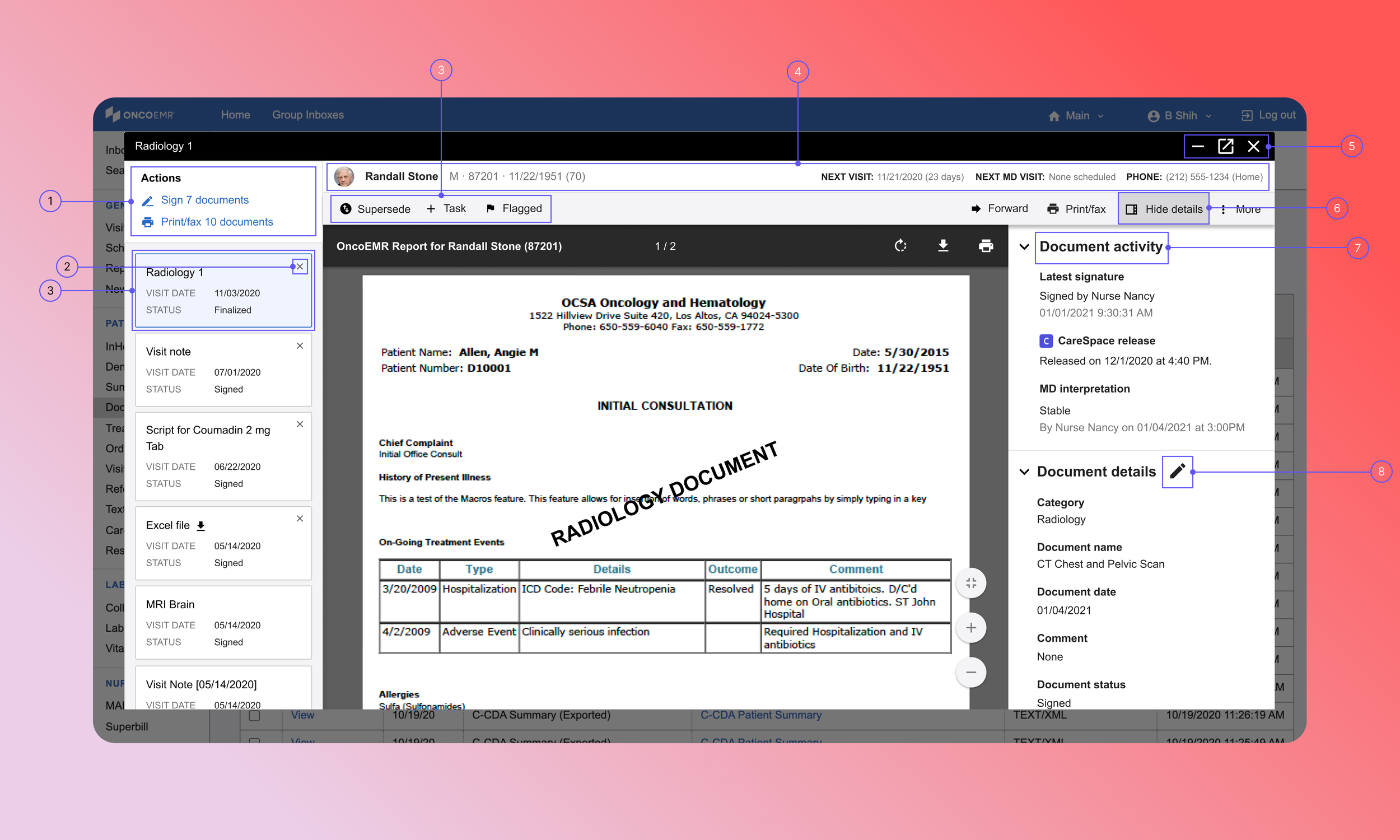
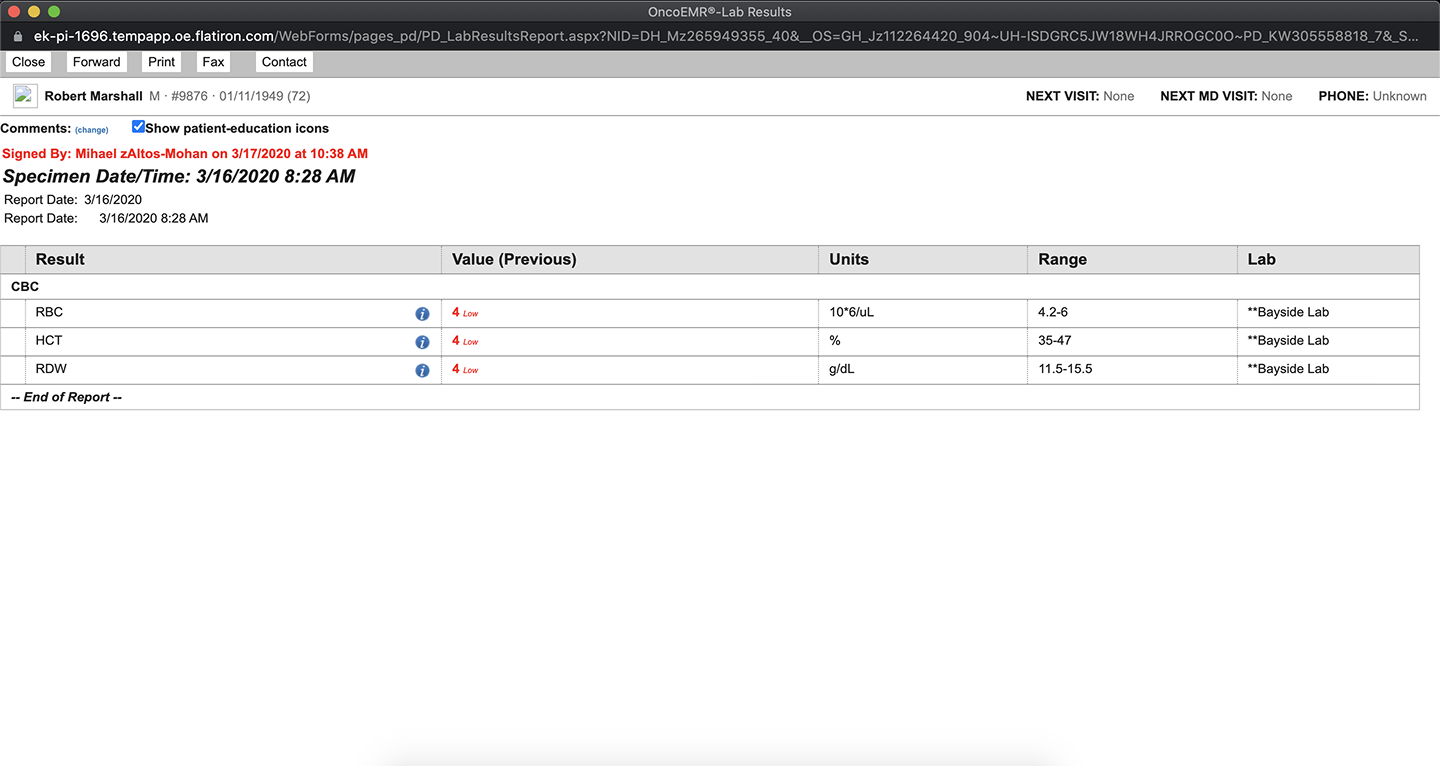
Flatiron’s legacy document viewer was a core feature in OncoEMR, used to view lab results, prescriptions, scans, imaging reports, etc. Though connected in all workflows, the viewer was largely unchanged for over five years, lacking flexibility in how clinicians review documents.
Phase 1: Document viewer 2.0
We overhauled the legacy viewer into a sleeker, more intuitive design. This phase was mainly a technical effort, focused on migrating all document types into one type within the database. On the design front, we updated the UI to improve usability and lay the groundwork for new features.
Phase 2: Multi-document viewing
Building on Phase 1, we wanted to enable users to view and manage multiple documents for a single patient, as well as across different patients. Phase 2 prioritized expediting document review, particularly for roles who handle bulk document viewing or switch between patient charts frequently.
Timeline
Q1 2023 - Q3 2023
Role
Product Designer II
Team
Product manager
Clinical lead
4 data + web engineers
Target users
Physicians, PAs, MAs, nurses
Design Process
01 Auditing the legacy product
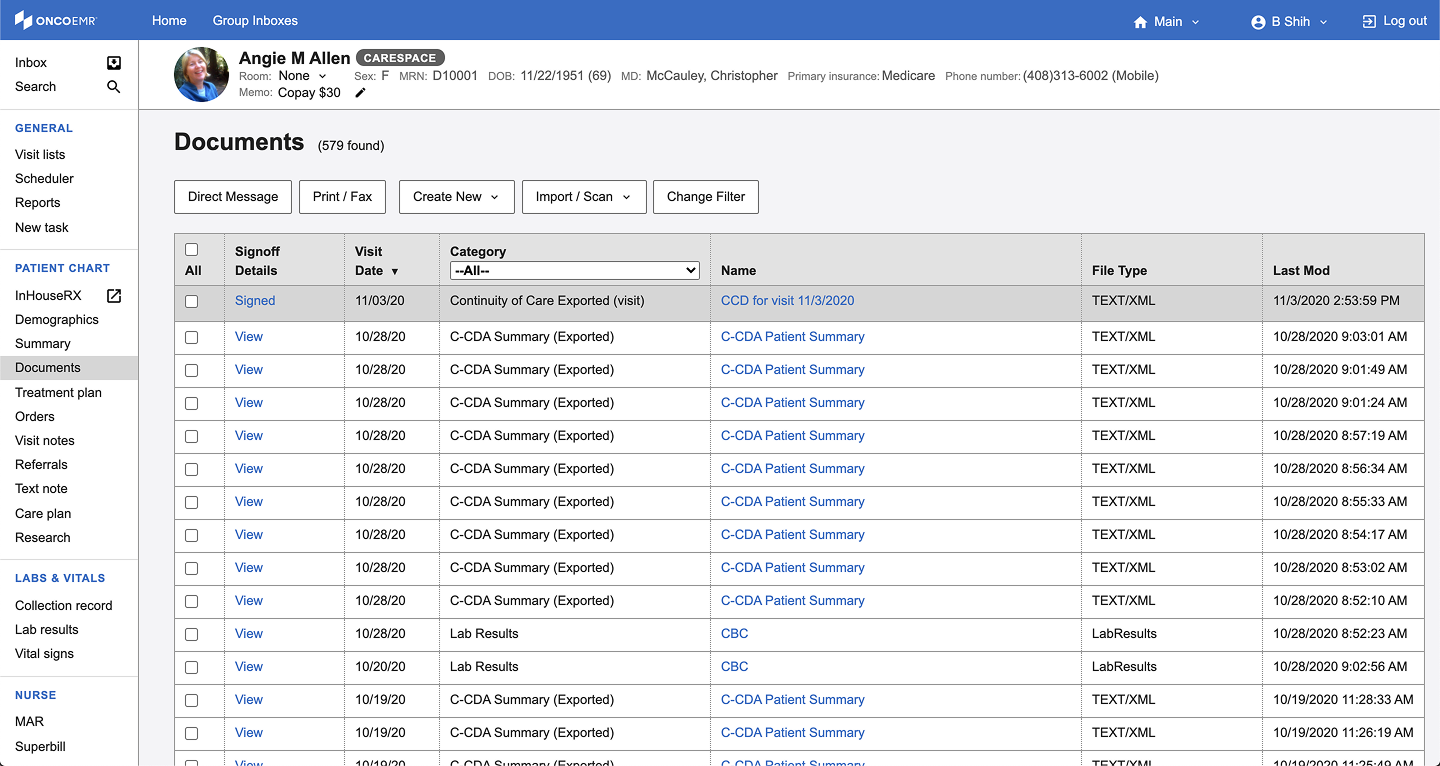
…examining the legacy workflow to understand how physicians actually interact with documents day-to-day.
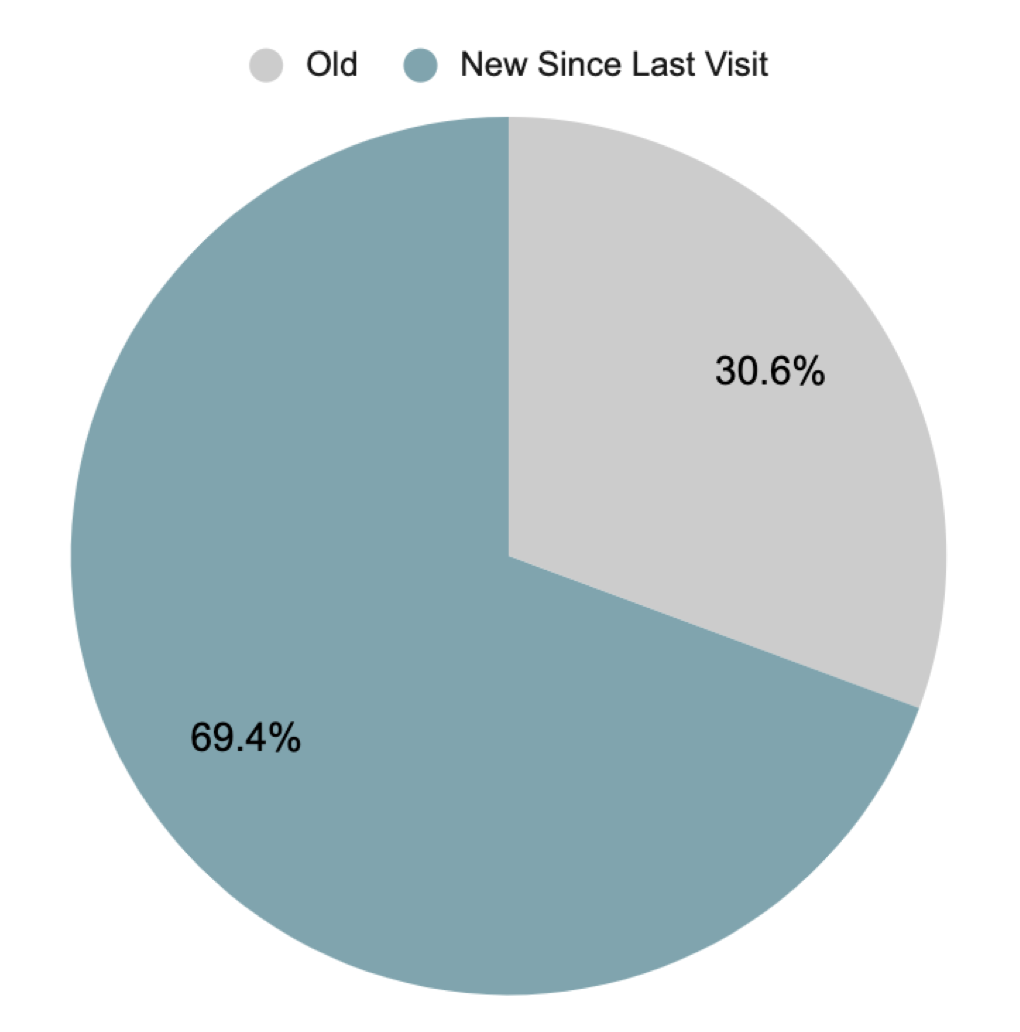
02 Leveraging usage data
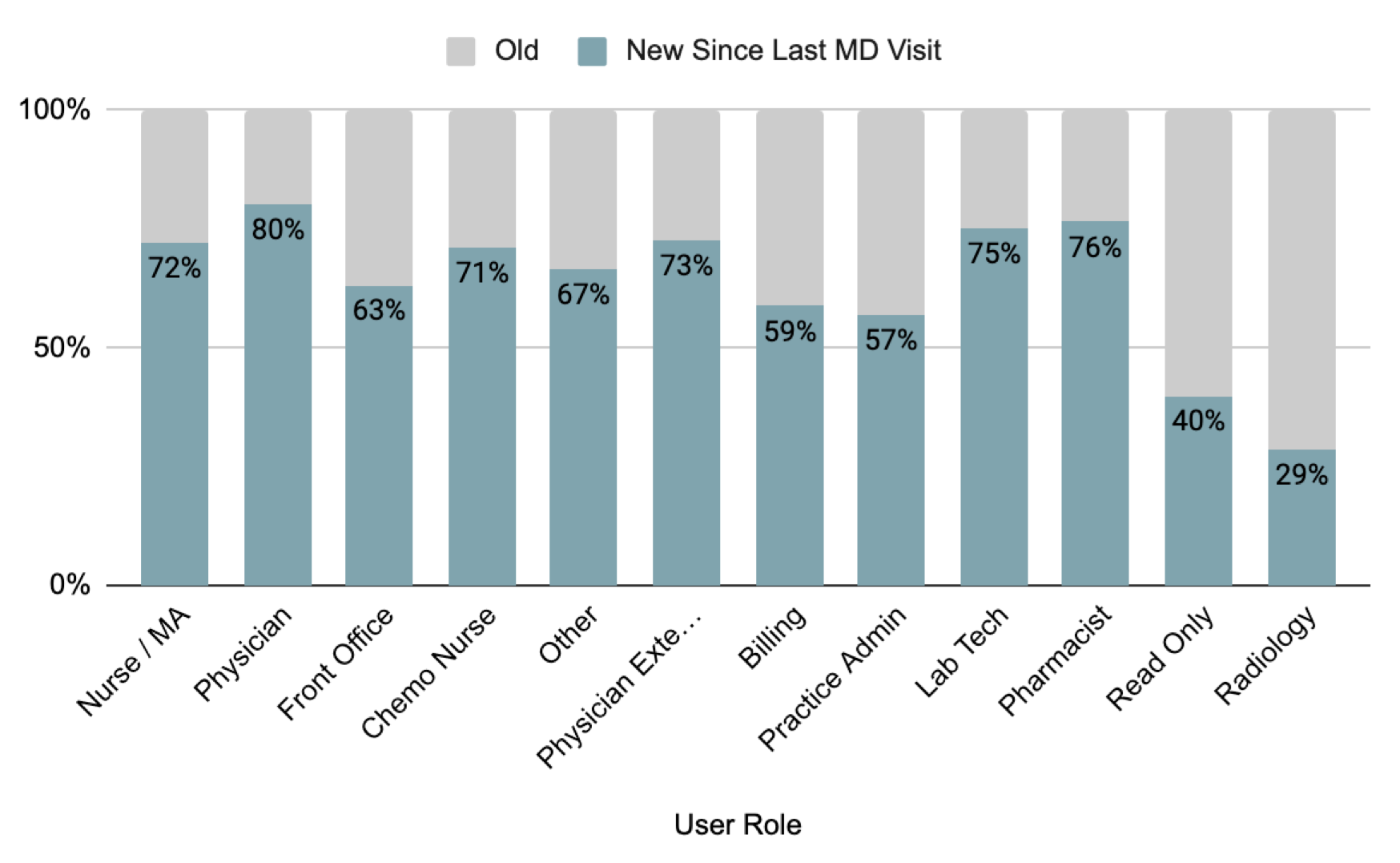
…analyzing usage data to optimize the review process for physicians and physician-adjacent roles. Working with the data insights team, I discovered that nearly 70% of documents viewed were newly added since a patient’s last visit and that 80% of documents viewed by physicians were new items.
03 Ideating and iterating
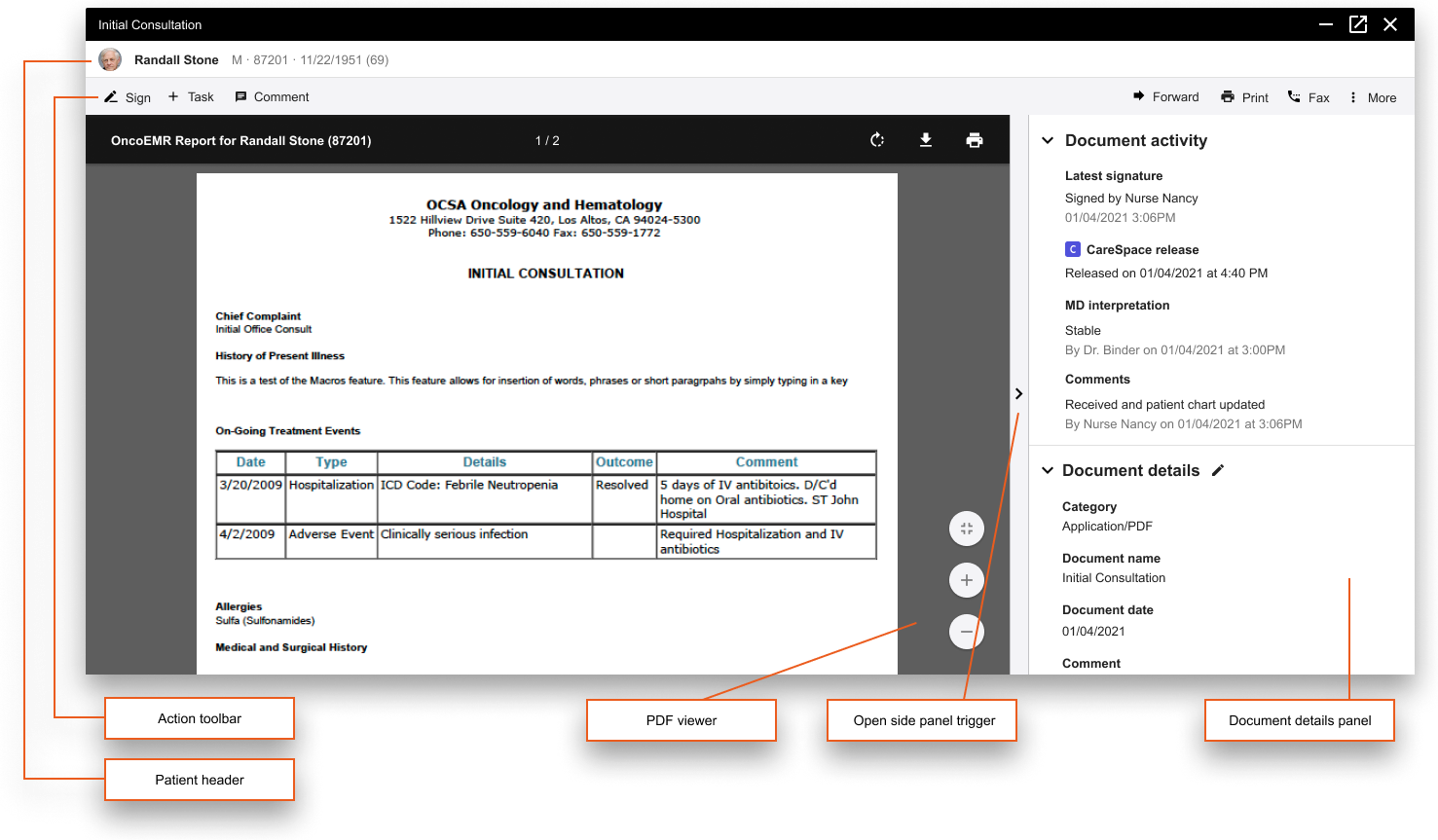
…mapping out foundational components of the reimagined document viewer. I modernized elements from the legacy viewer, combining them with the browser’s built-in PDF viewer.
04 Refining components
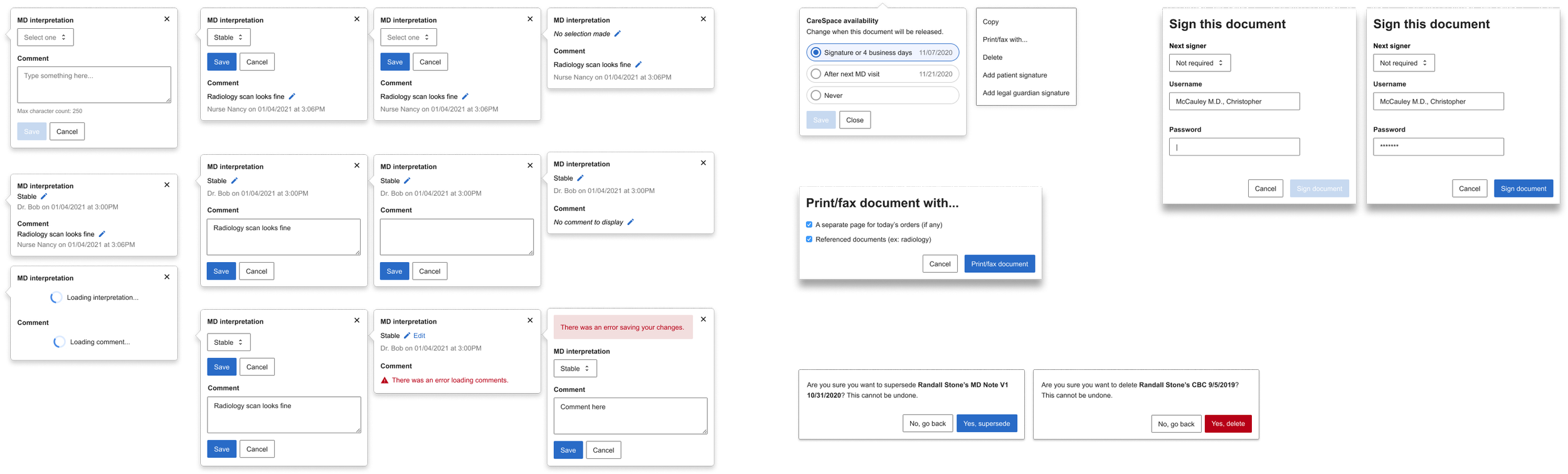
…creating a component library for the new viewer so that engineers could standardize implementation.
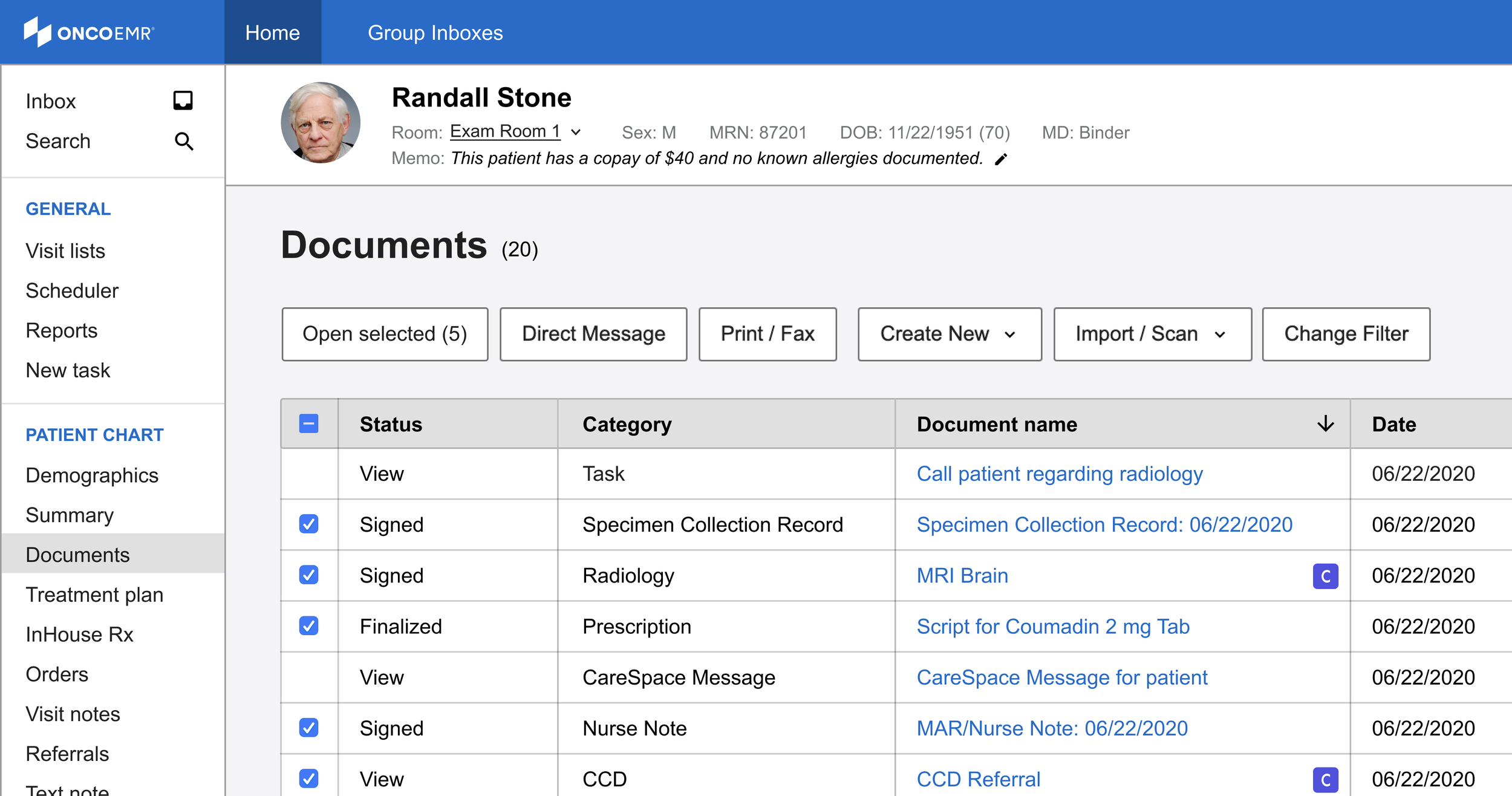
Documents page: Entry point shortcut
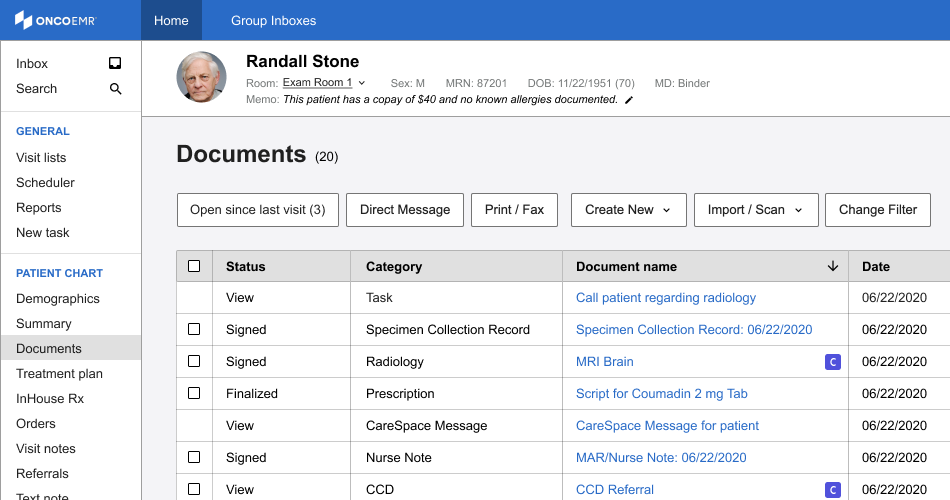
Based on data that 70% of opened documents are newly added items, I updated the default entry point into the viewer. Instead of requiring users to select documents before launch, the default (null state) changed to an '“Open Since Last Visit” button.
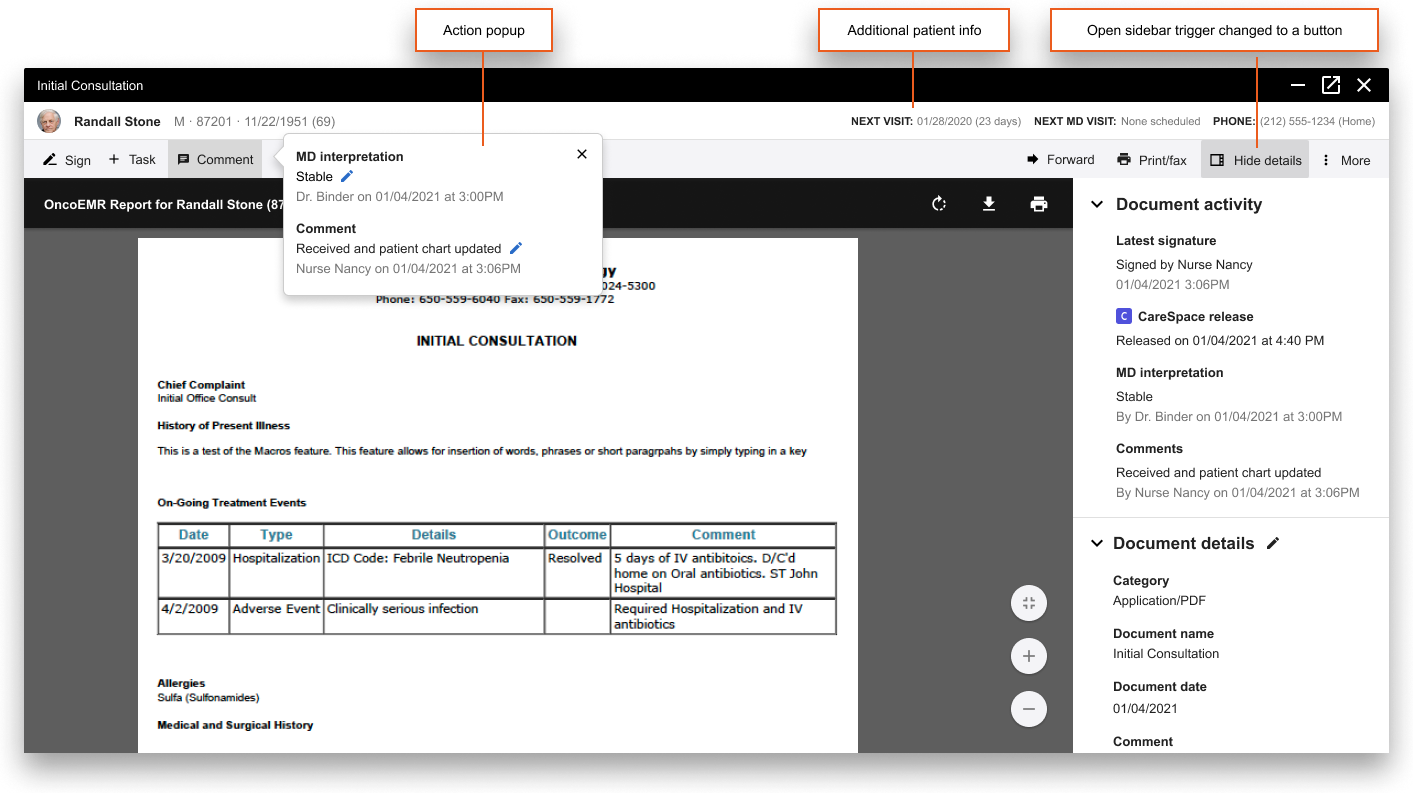
We improved usability in the legacy viewer by 1. introducing a wide range of quick actions to reduce mental overload and 2. by surfacing important patient metadata to facilitate a more informed review process.
Phase 1: Document viewer 2.0
Phase 2a: Multi-document viewer (for one patient)
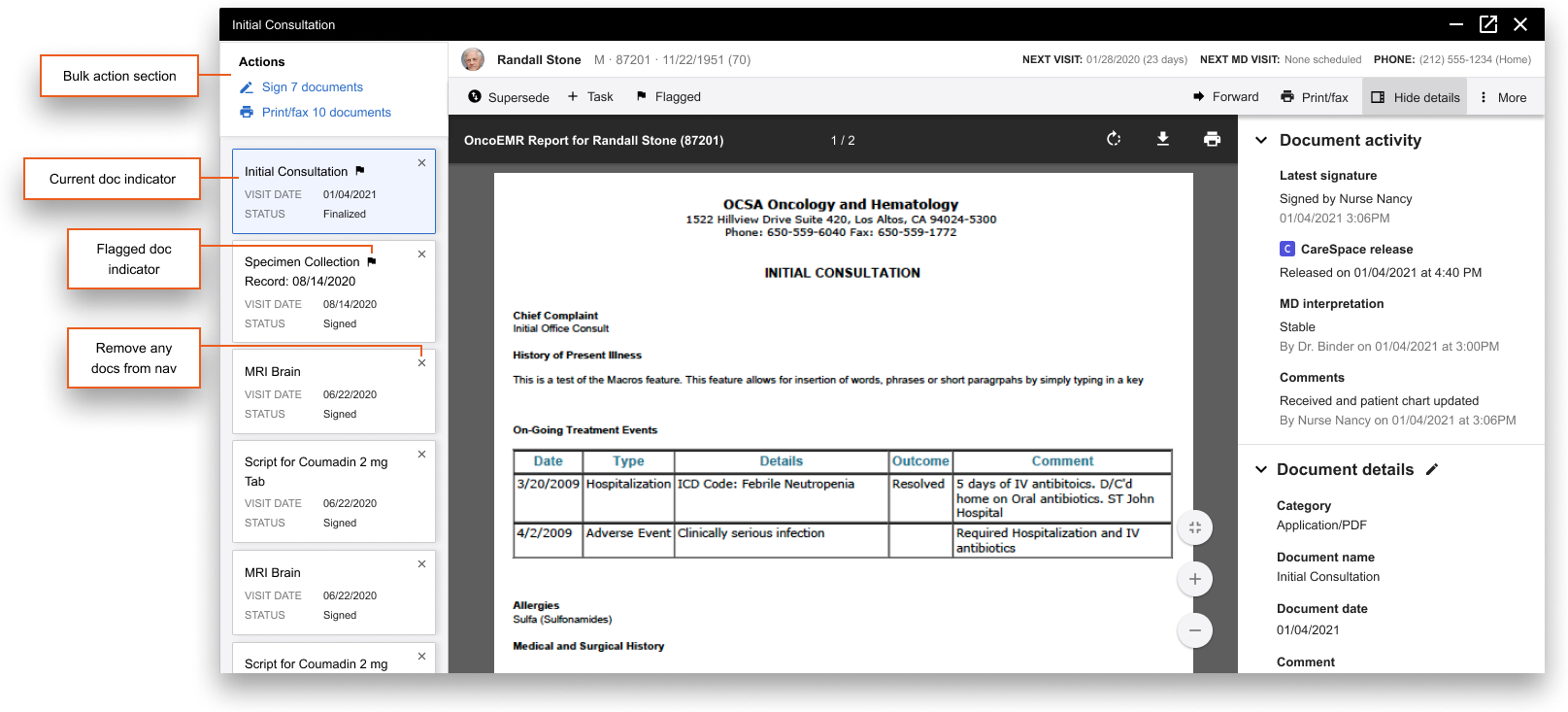
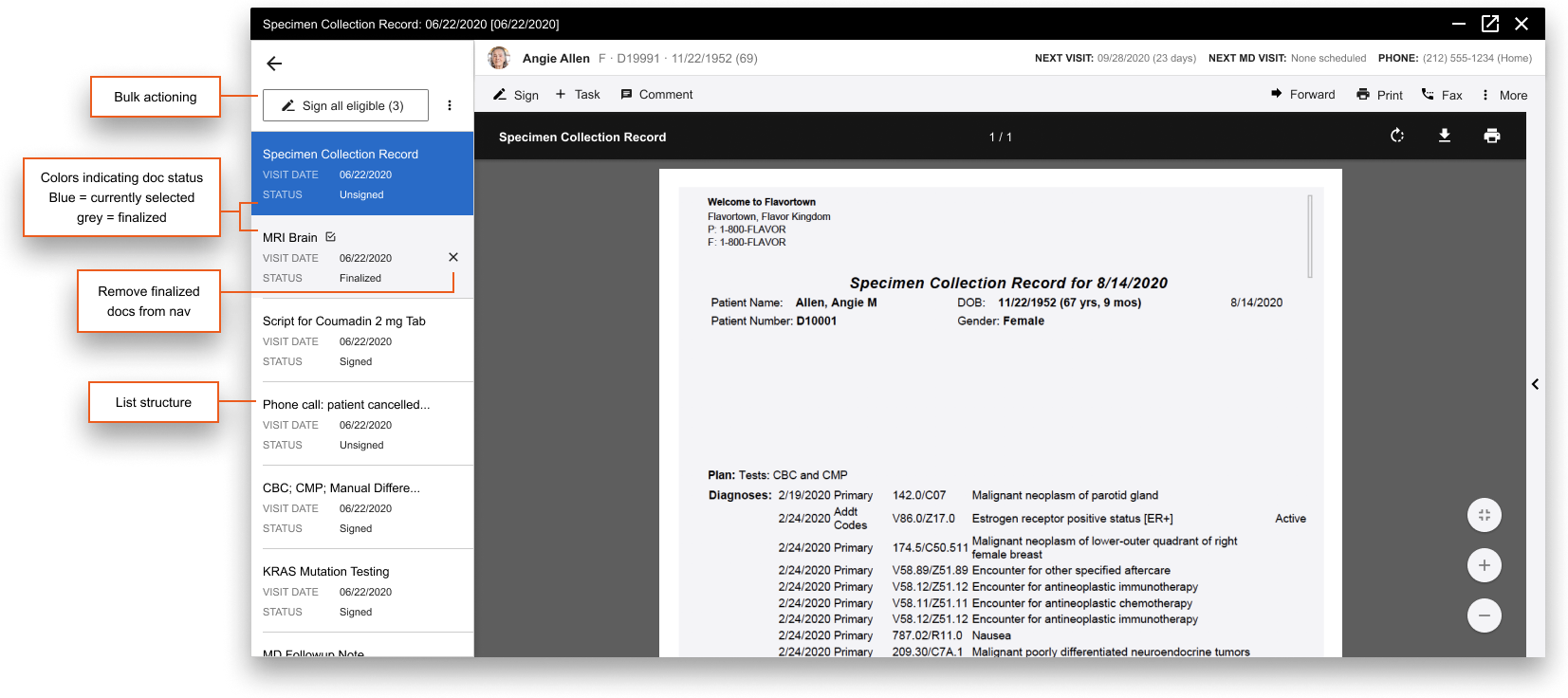
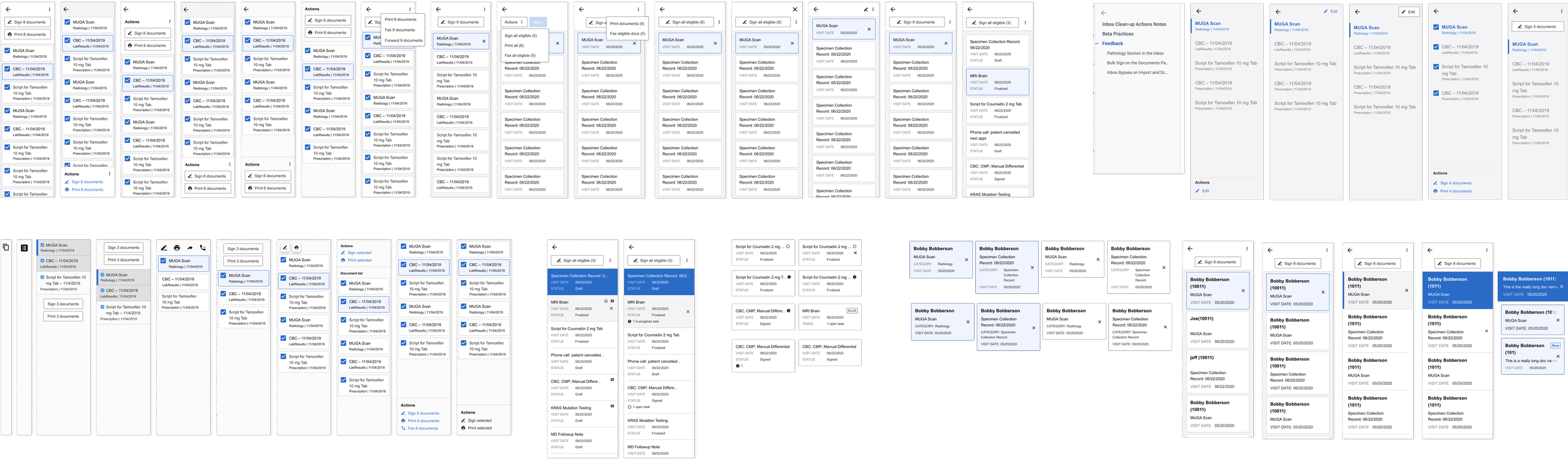
To add onto the enhanced document viewer, we also implemented a multiple-item review process. We improved quick actioning by enabling bulk actioning and introduced sophisticated item navigation and organization to reduce context switching.
Phase 2b: Multi-document viewer (for multiple patients)
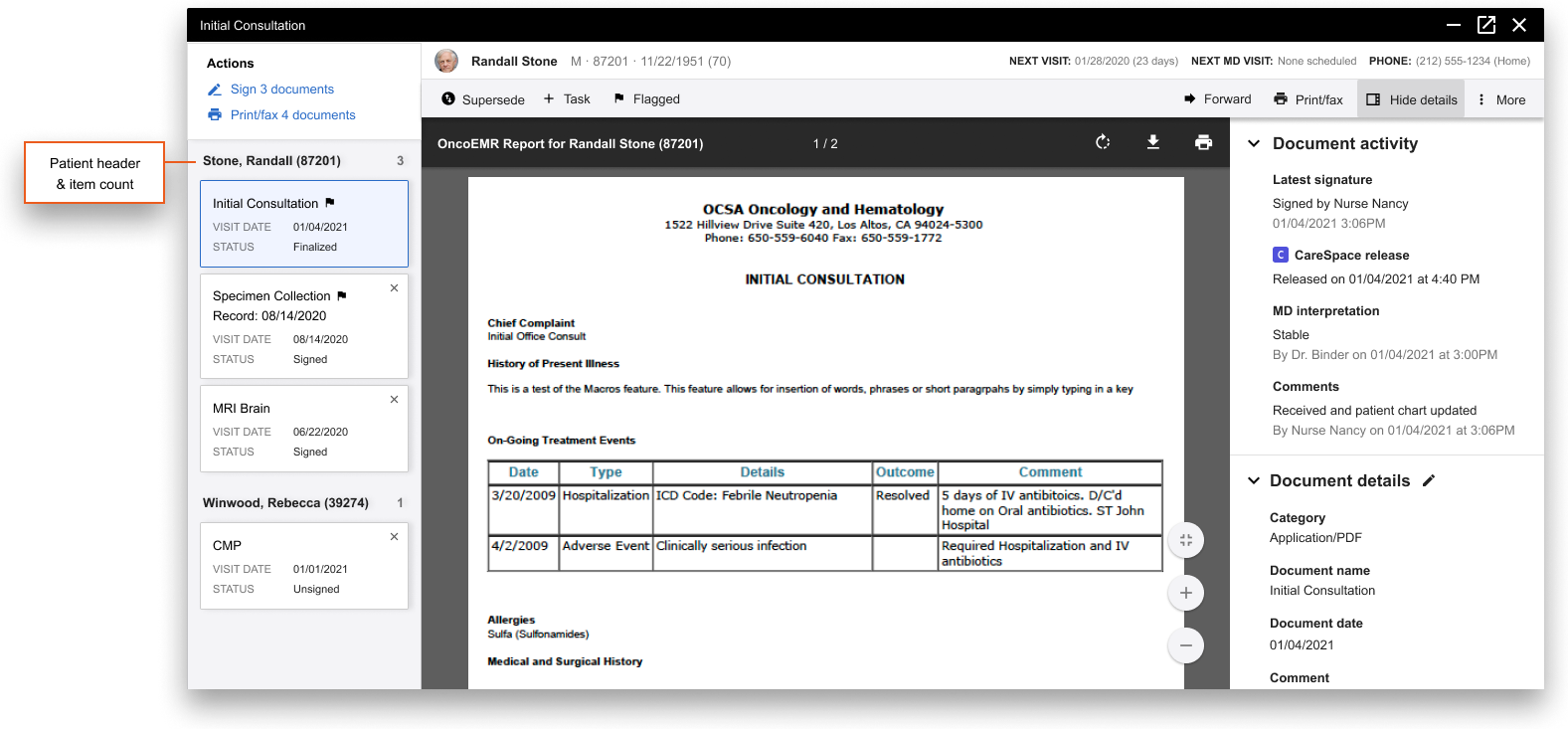
In the case physicians want to batch review documents across multiple patients, we designed a more delineated navigation sidebar to prevent users confusing items with their respective patient.
Dr. Pineda, gynecological oncologist at Ironwood Cancer & Research Center —