Clinical Inbox
Overhauling Flatiron Health’s centralized inbox for clinicians
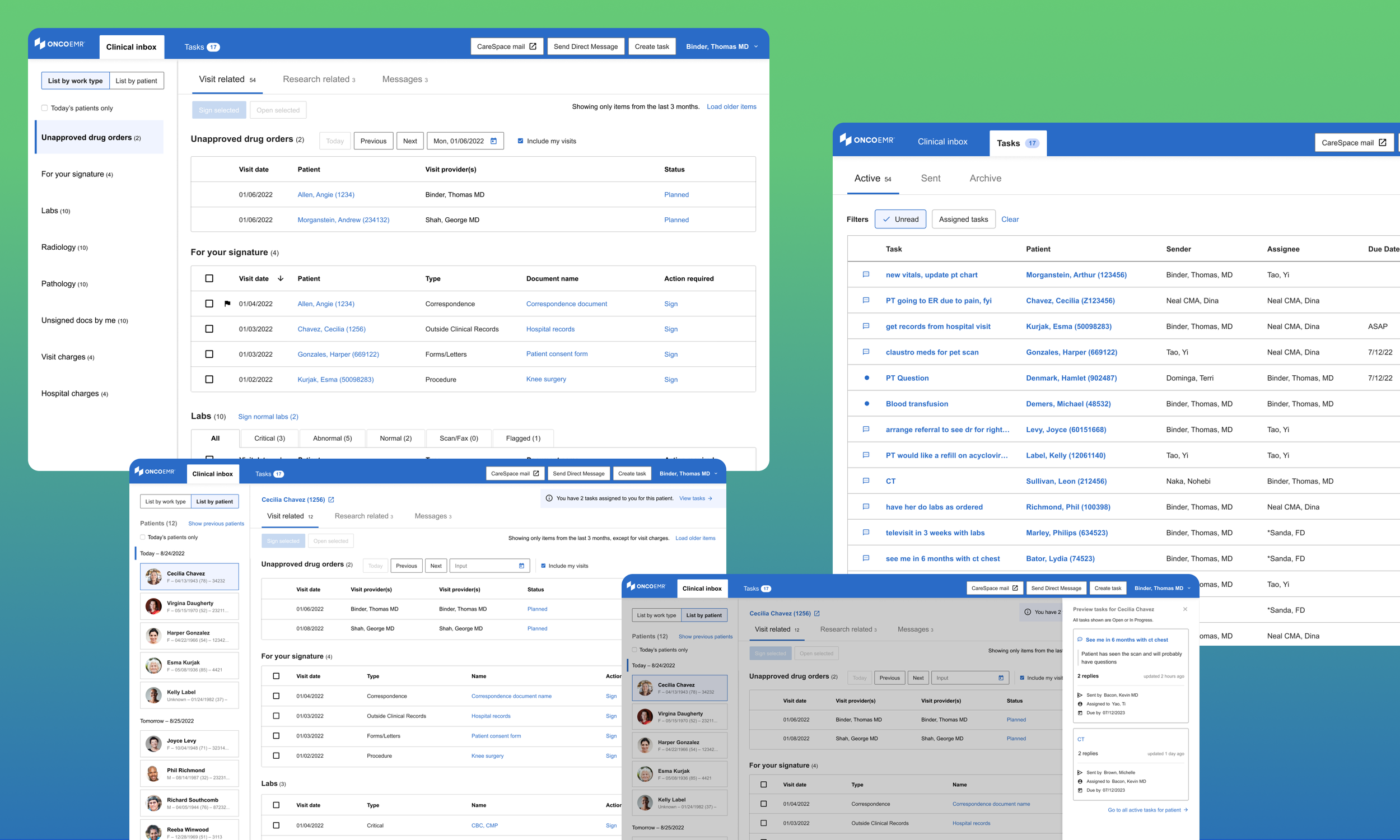
The inbox is a core component of OncoEMR, Flatiron Health’s electronic health record system, and the landing pad for all items that require sign-off from a clinician.
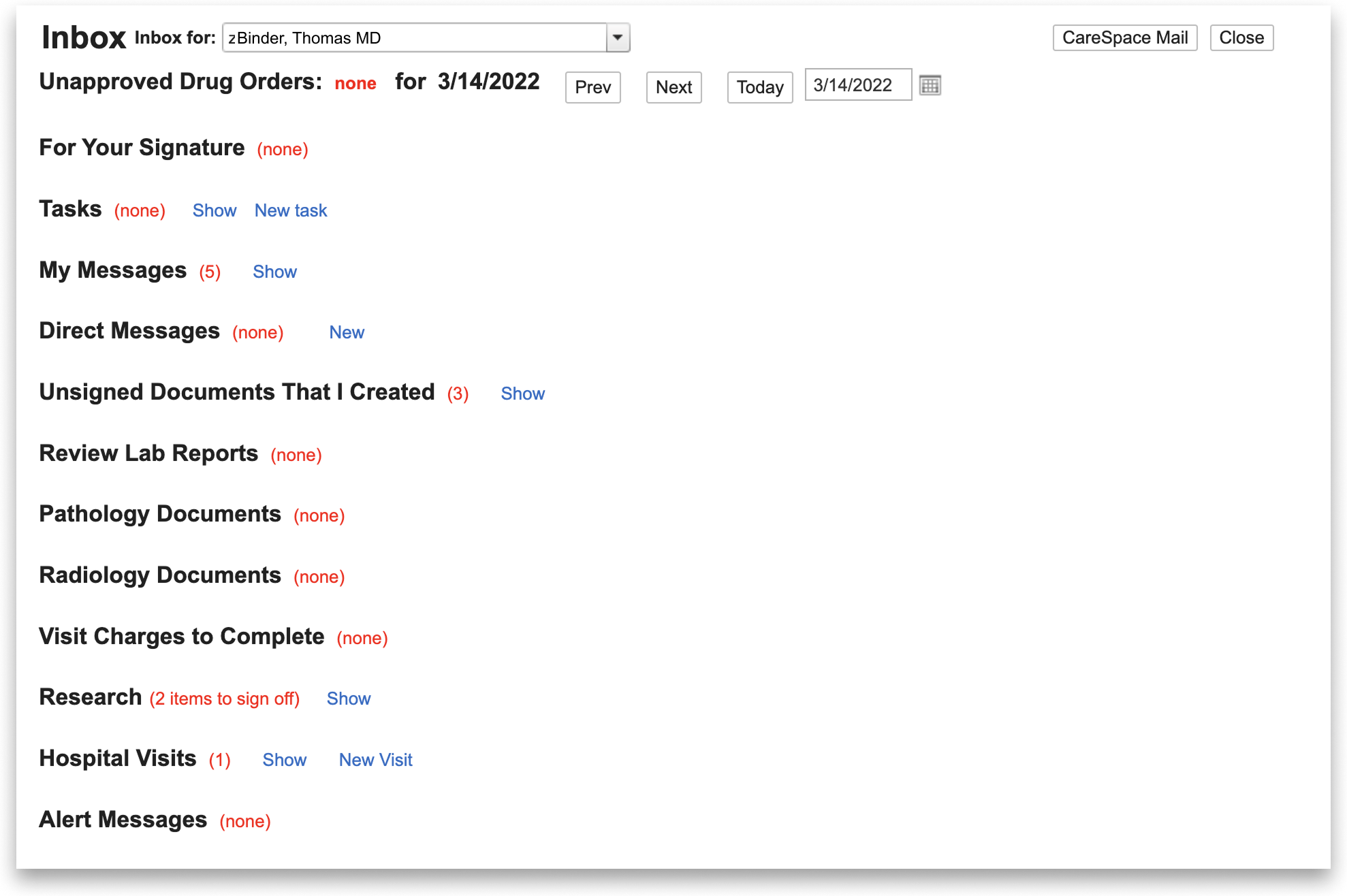
Despite its pervasive role in Flatiron’s ecosystem, the product hadn’t been updated in 8+ years. Our physicians often expressed how their inbox was cluttered and disorganized, failing to support them.
We modernized the layout, standardizing components and introducing features that better manage physician and admin workflows.
Timeline
Q3 2023 - Q4 2024
Role
Product Designer II
Team
Product manager
Clinical lead
7 data + web engineers
Target users
Physicians, PAs, MAs, nurses, admin
The problem
The inbox hadn’t been updated in years, leading to delays and admin burden on clinicians. The time physicians could spend on patients, they spent on software.
The solution
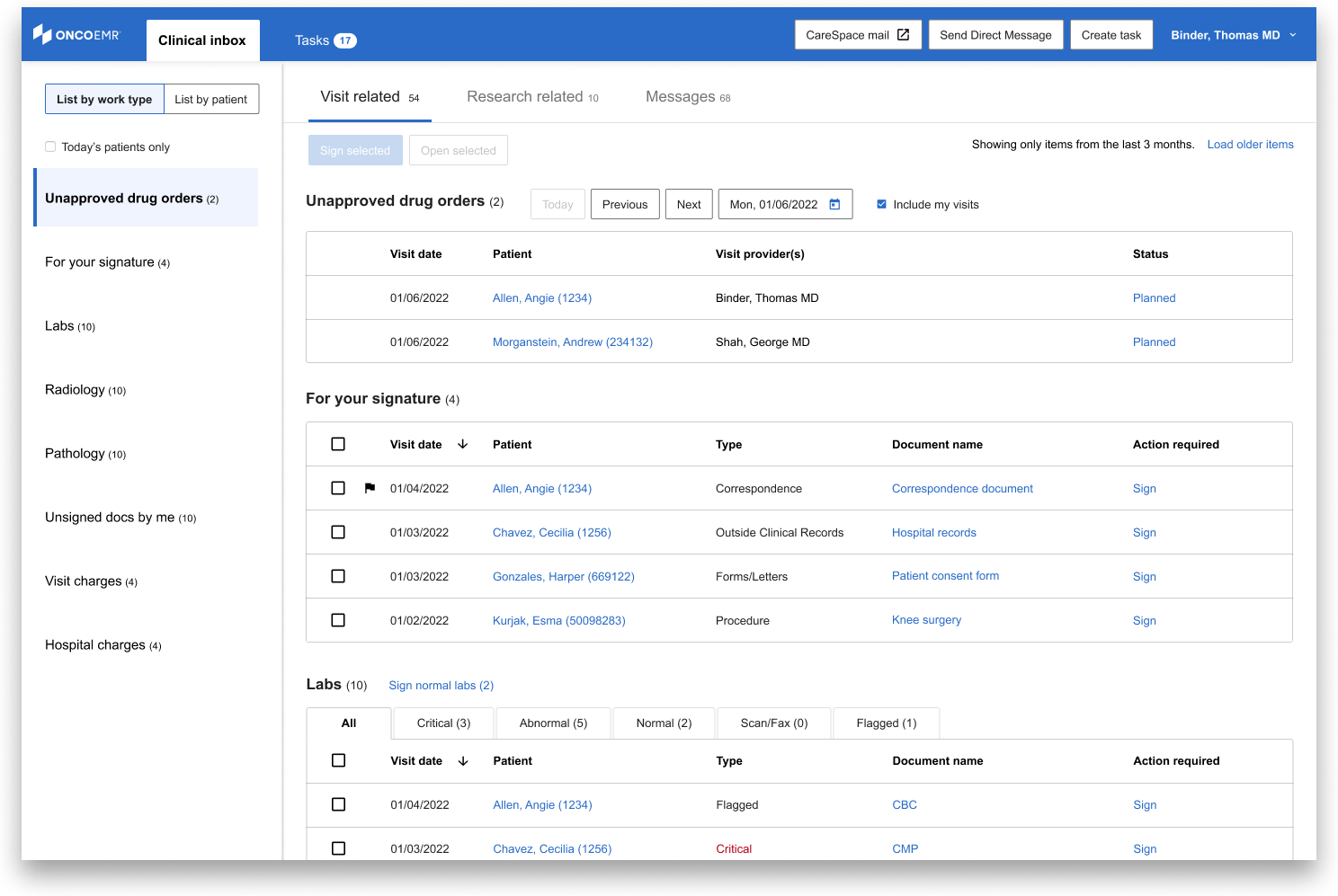
We improved the inbox, overhauling the layout and implementing feature requests. The inbox is now a useful tool rather than a tedious task in patient care.
Impact
We chose to focus on improving speed as a desired outcome because it is both measurable and impactful.
We conducted a pilot release with seven practices, gathering feedback and iterating to release to beta I and beta II users (30 practices).
We de-risked by running tests to handle large amounts of data before rolling out to all 276 of our practices.
Improved navigation
Delay between opening the inbox to finding an item (48% decreased latency)
Fewer number of scrolls per session (63% less)
Fewer number of clicks per day (46% less)
Operational efficiency
Less time spent in the inbox per week (66% decrease)
Fewer outstanding items (31% less)
Items cleared faster (54% decreased latency)
Design Process
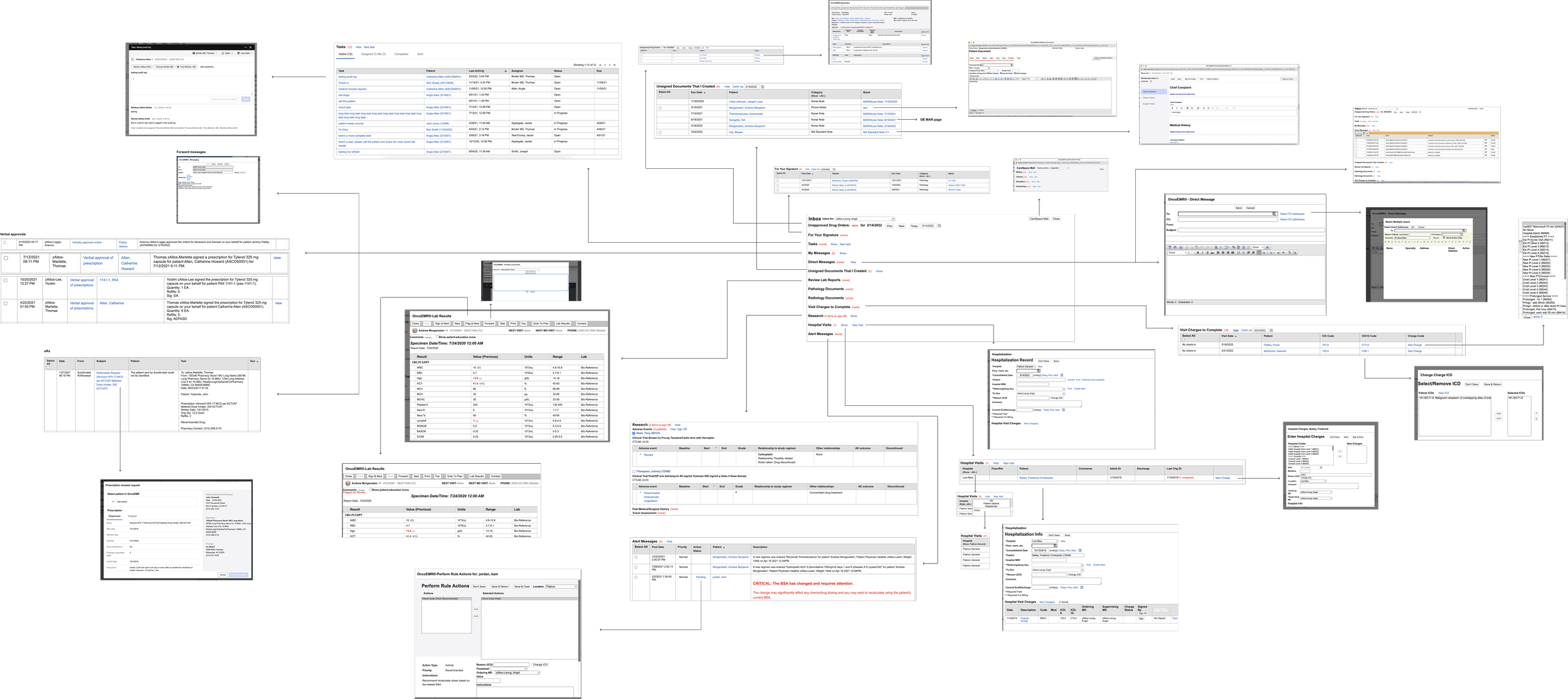
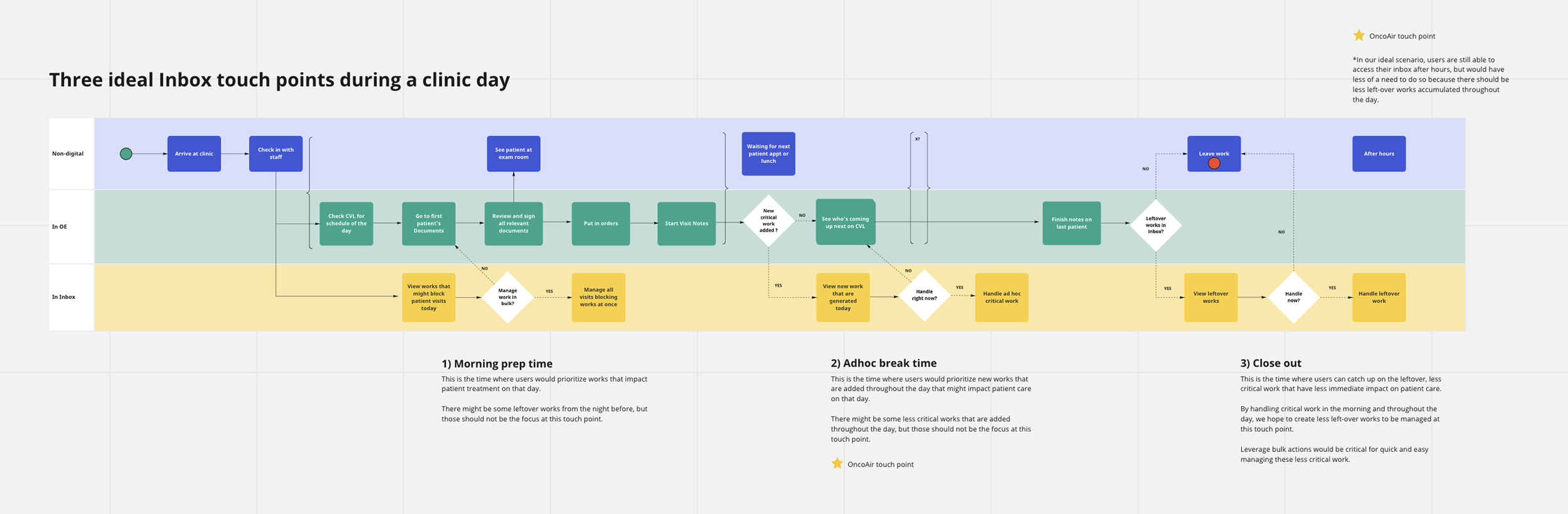
01 Revisiting the legacy product
…auditing the inbox ecosystem to map out all interactions in the legacy inbox and potential areas of friction before starting external research.
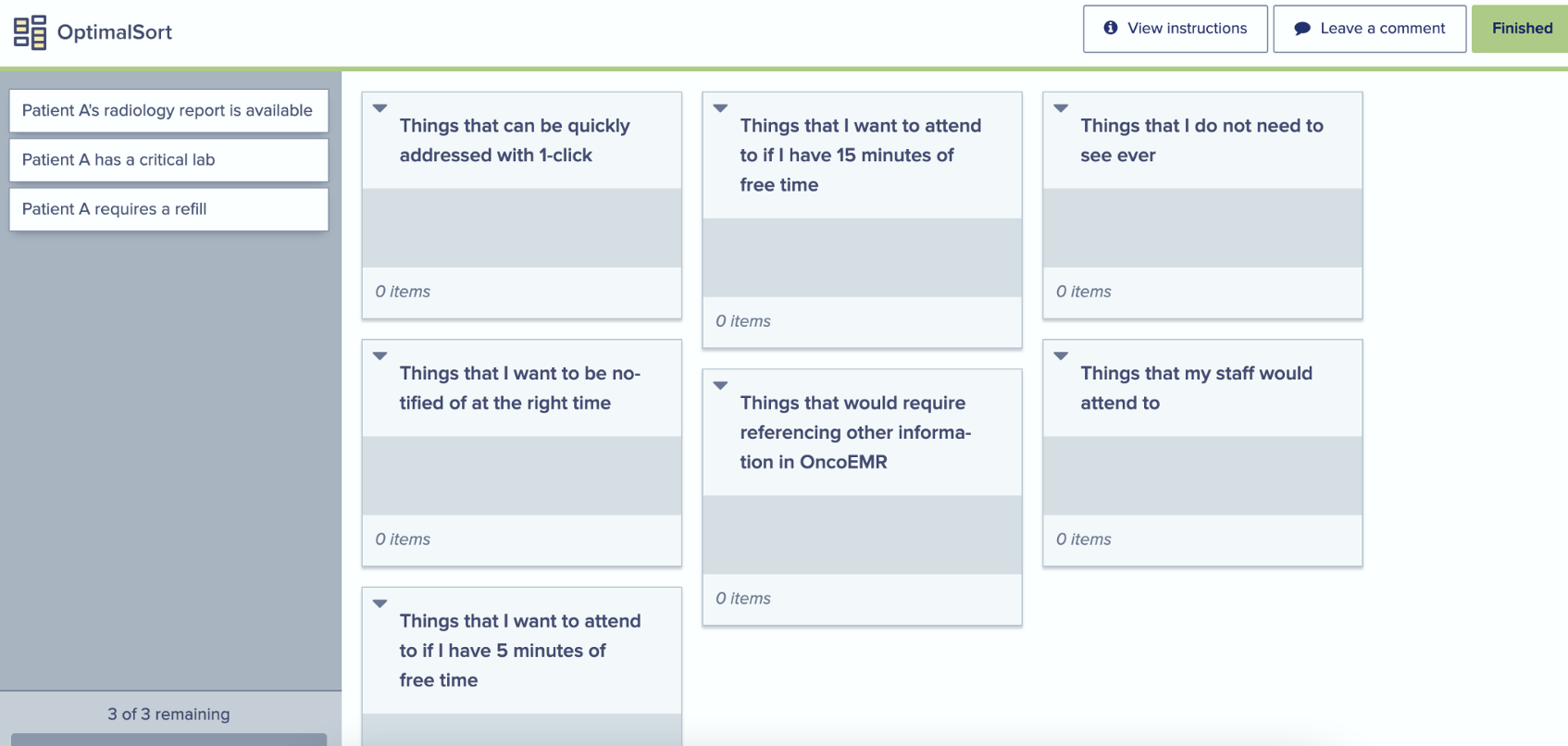
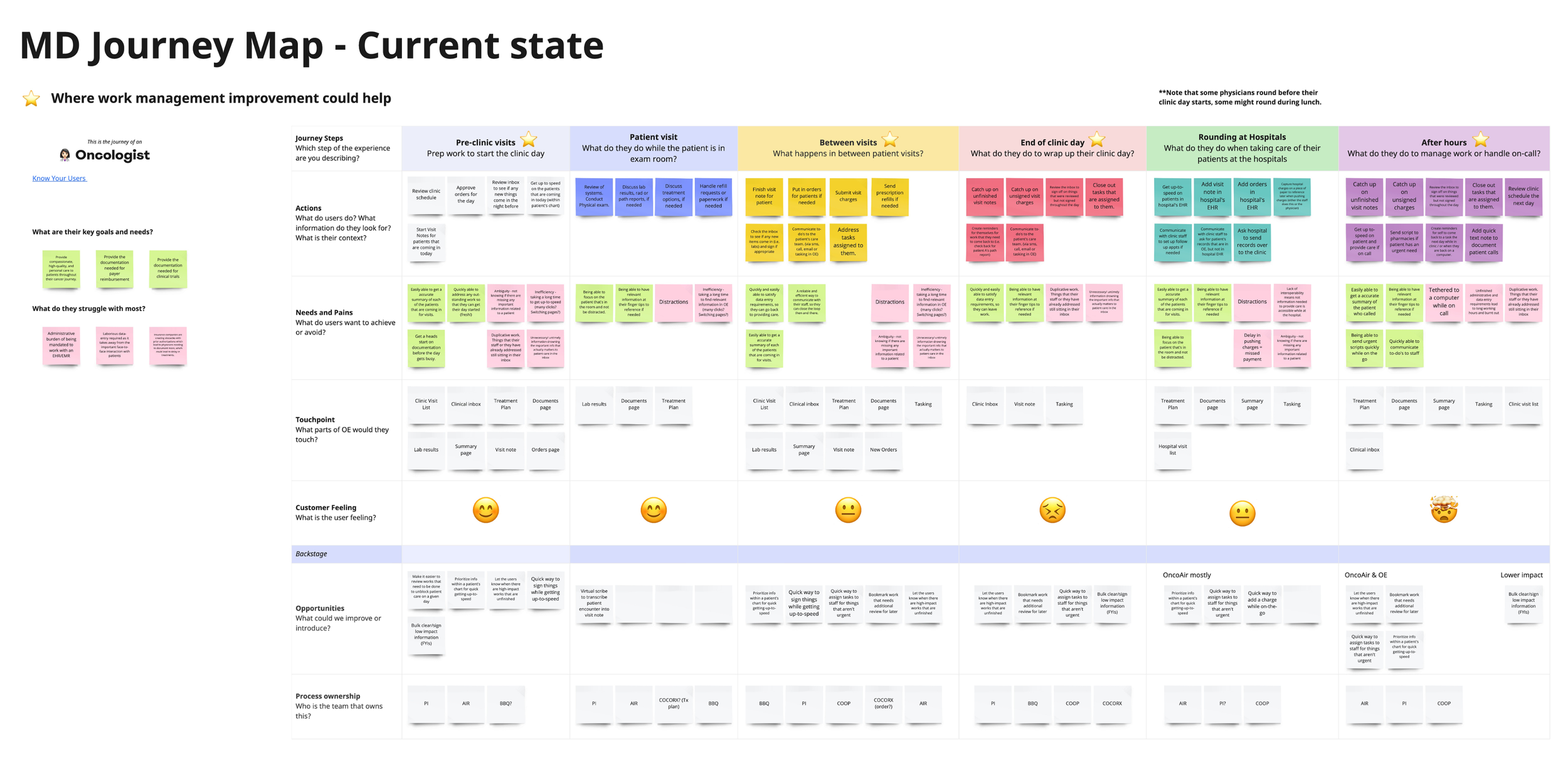
02 Setting context with research calls
…understanding the end-to-end journey of each clinician, identifying their pain points and motivations behind each workflow supported in the inbox.
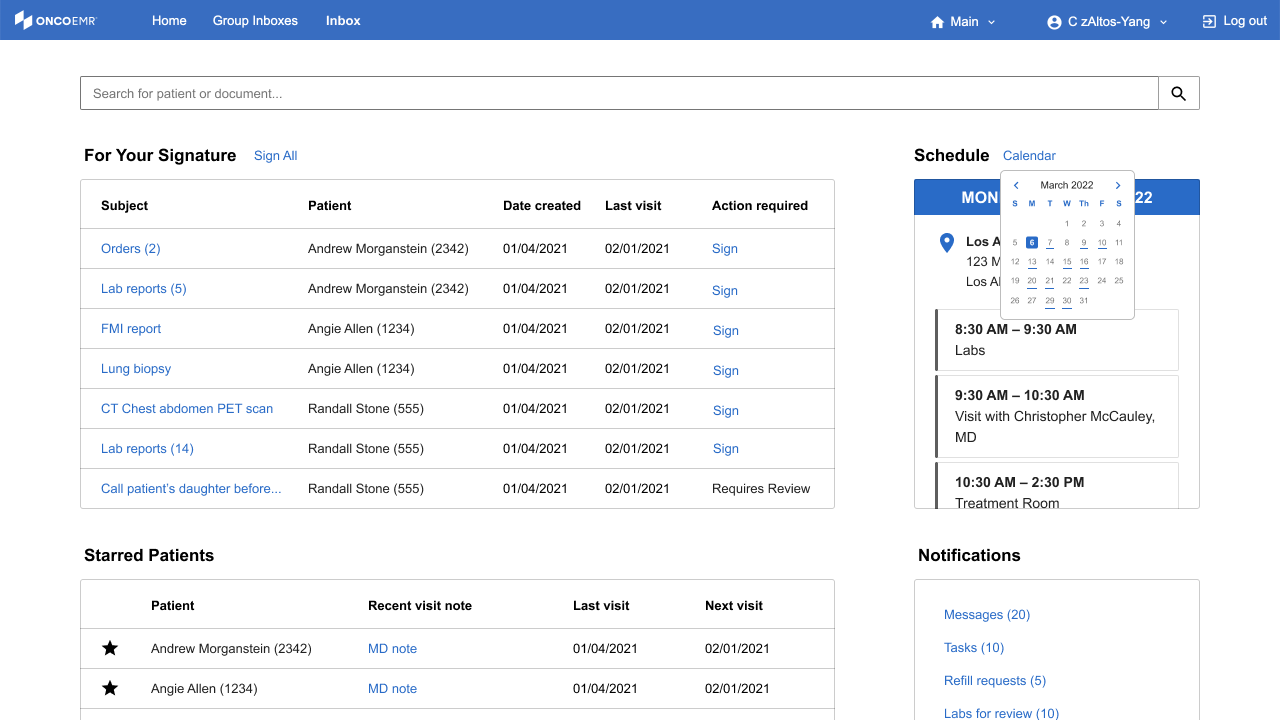
03 Ideating and iterating

…conceptualizing a new approach to the inbox, eventually developing a prototype for feedback.
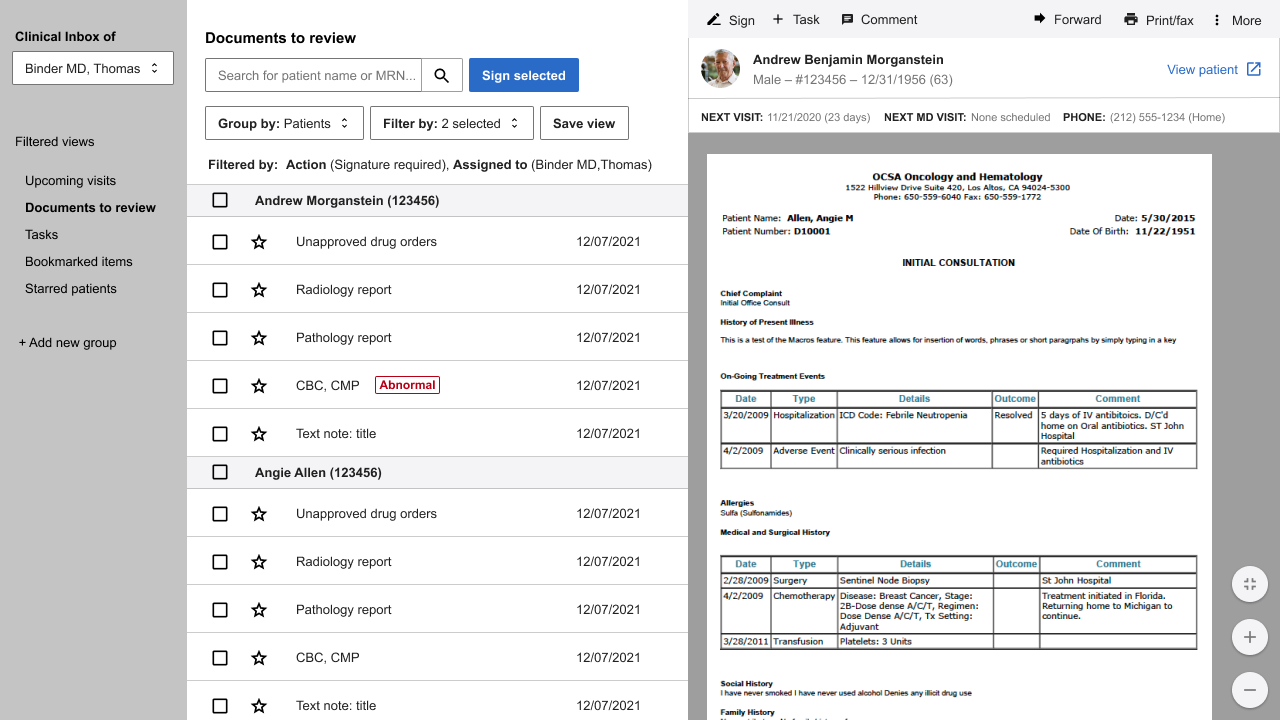
04 Validating hypotheses
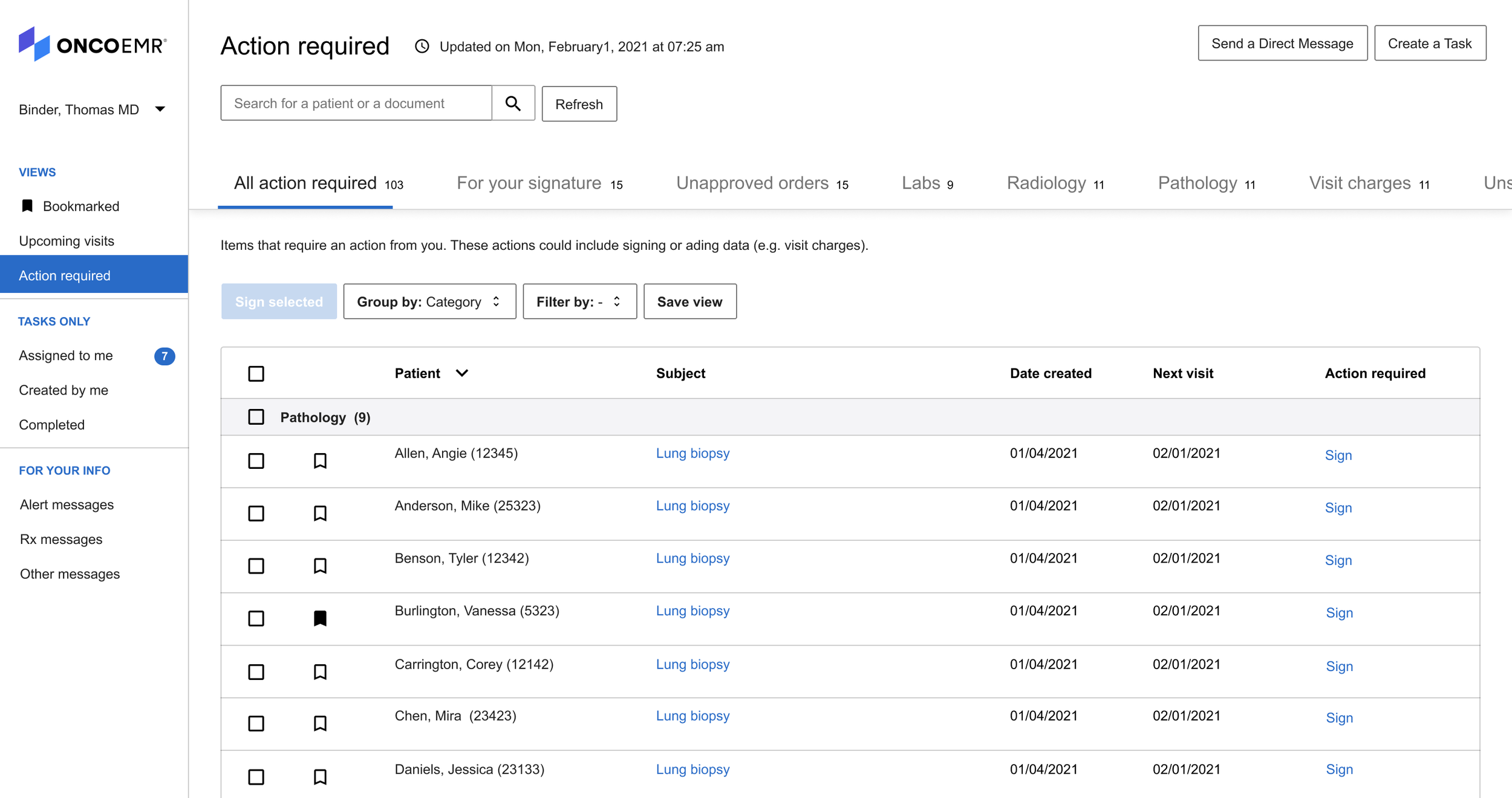
…amassing feedback and observing users in real-time interact with our proposal to perfect our solution.
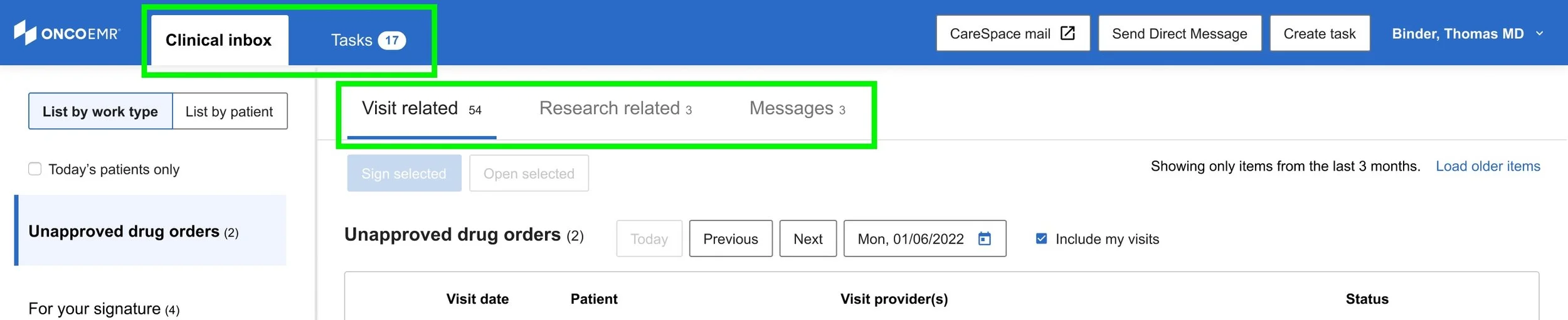
Work items organized in tabs
Separated tasks (dynamic items that evolve with updates, collaborators, deadlines, etc) from inbox items which only requires review & sign-off once.
Inbox items also now fall into one of three categories (Visit, Research, and Messages) so clinicians can access each tab with a different goal in mind.
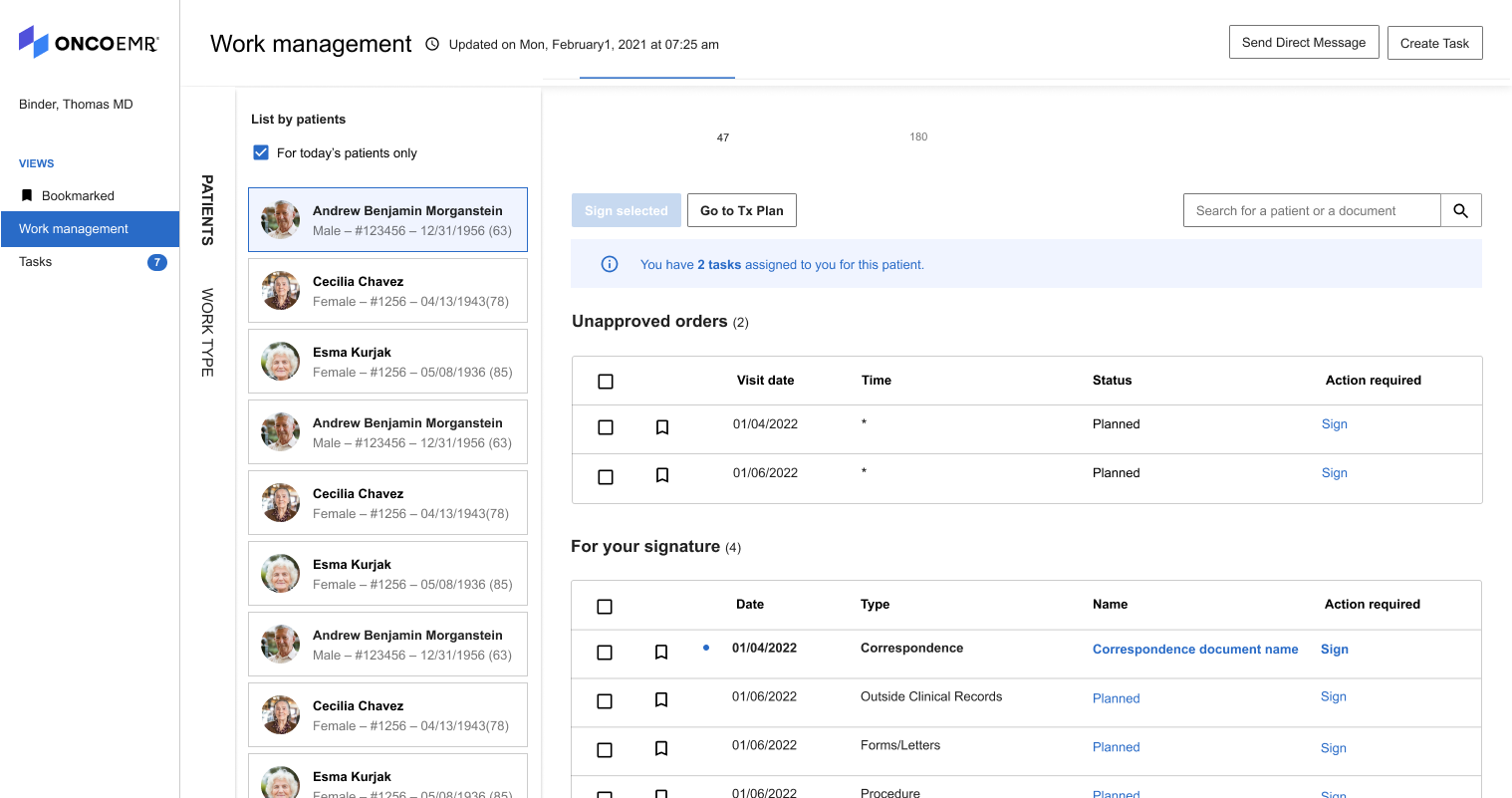
Group items by work type or patient
Sections in the inbox are organized into categories by workflow. Introduced a new feature that allows physicians to focus on items one patient at a time.

Enhanced sorting & actioning
Added quick filters and default sorting categories based off user research on items that are frequently triaged together. Bulk actions also allow for quick batch review.
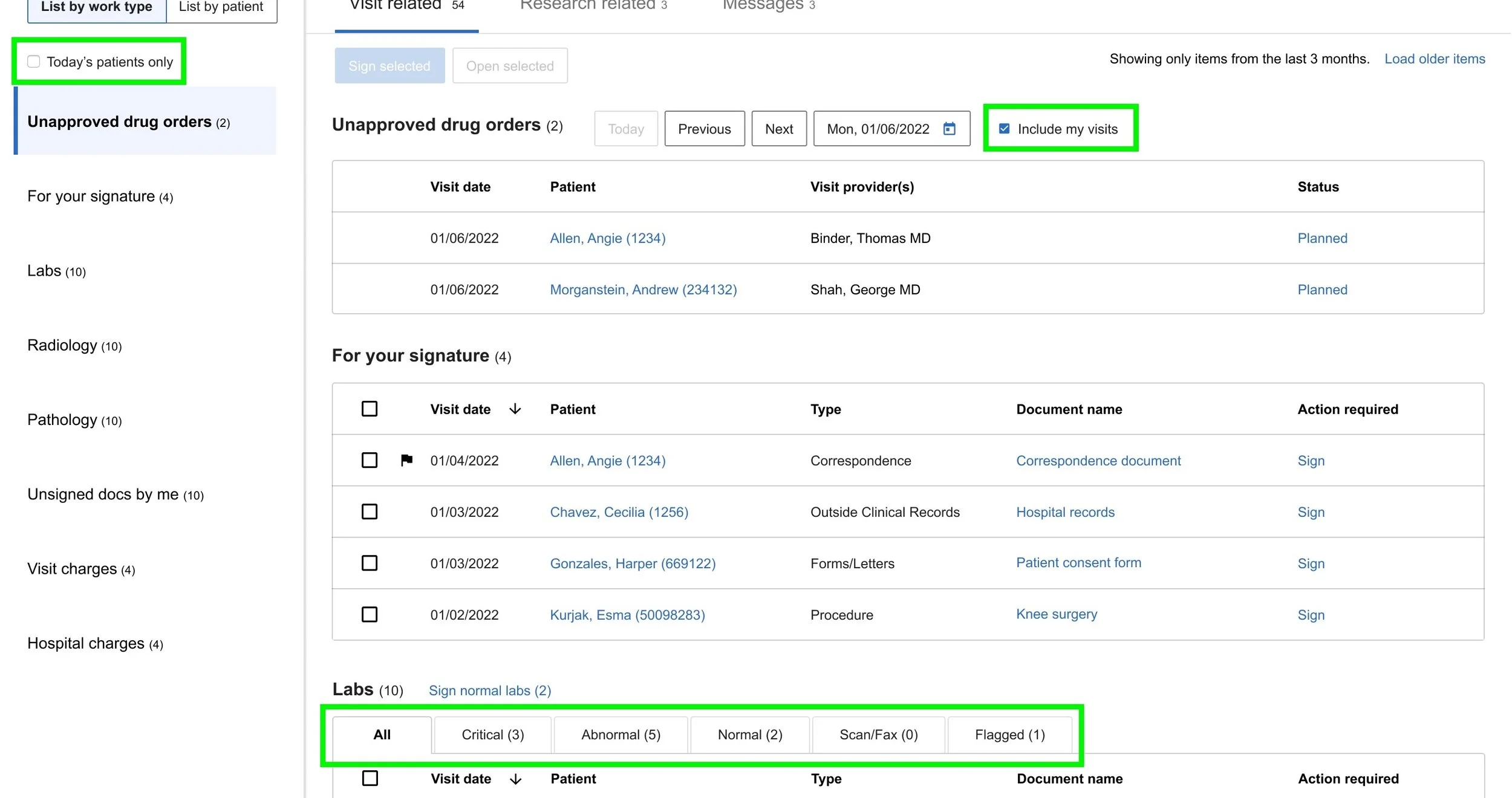
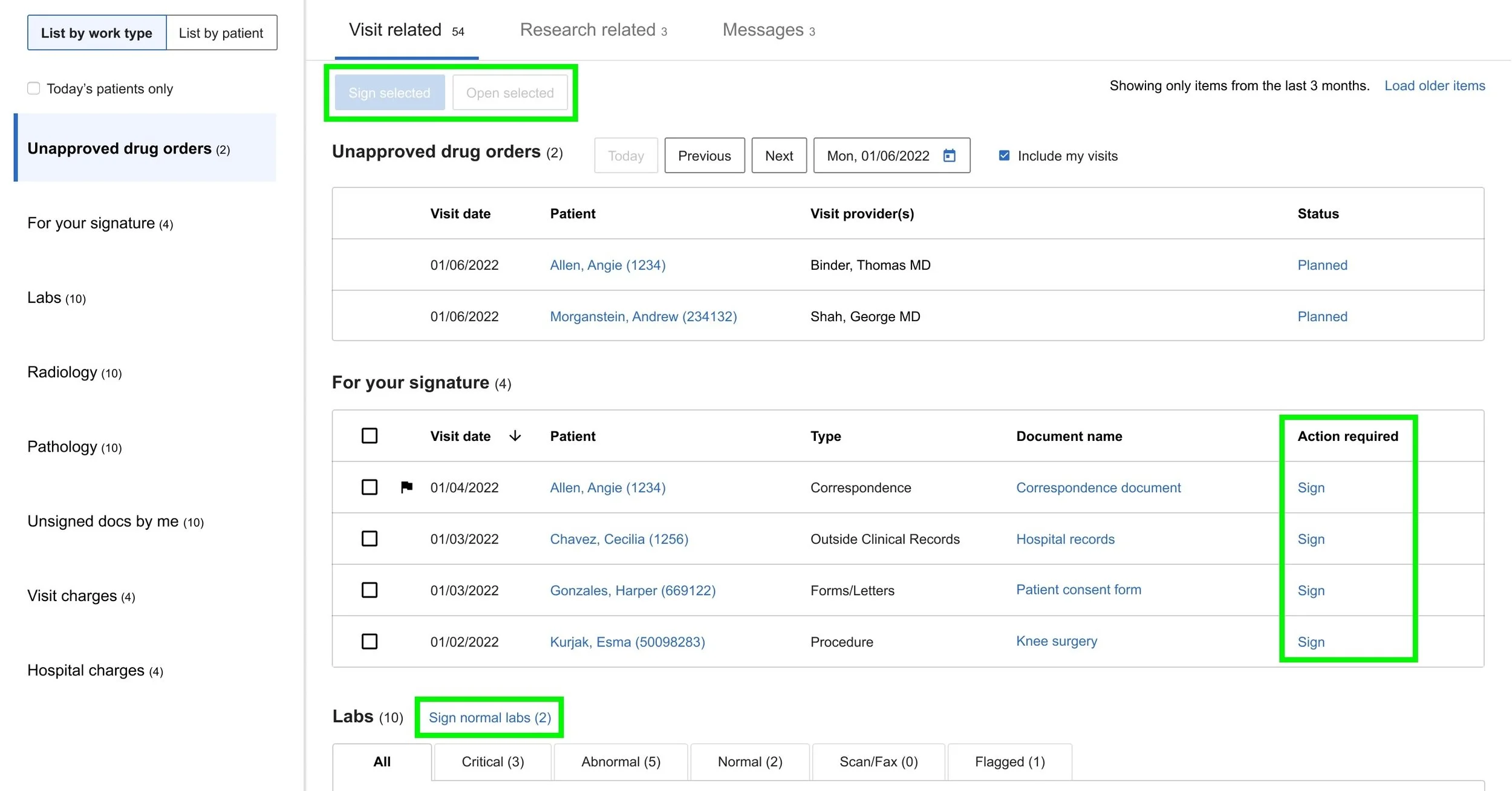
Alert surfacing
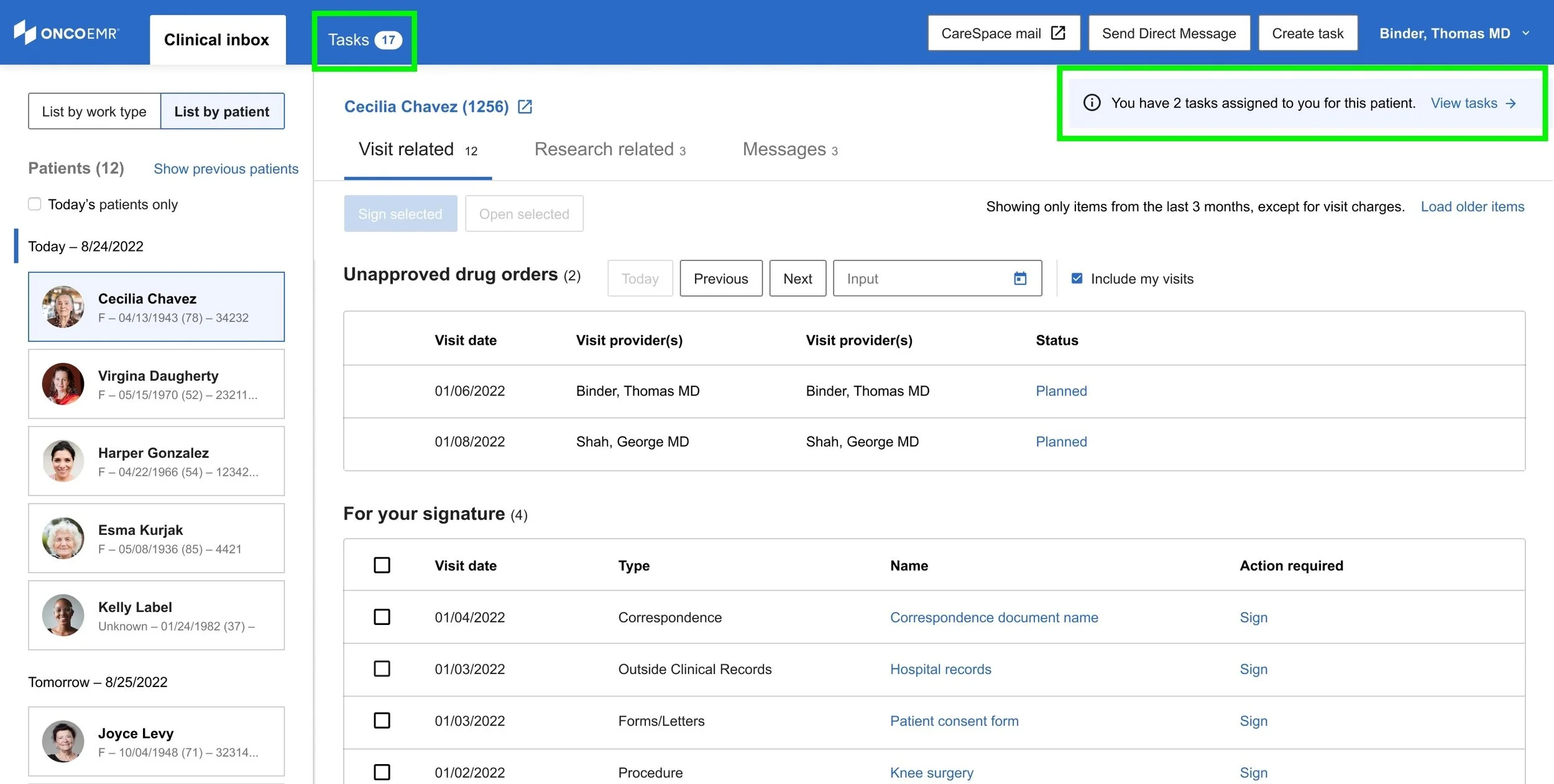
Item count indicators allow users to prioritize and manage work at a high-level.
End-to-end prototype
Dr. Porter, oncologist at West Cancer Clinic —
“These are the changes that would make the inbox more functional and easier. I would love to get this now.”
Dr. Daniel, oncologist at Tennessee Oncology —